
From sign-up to your first answer.
No code needed — everything the API does is in the app too.
-
01
Create a project
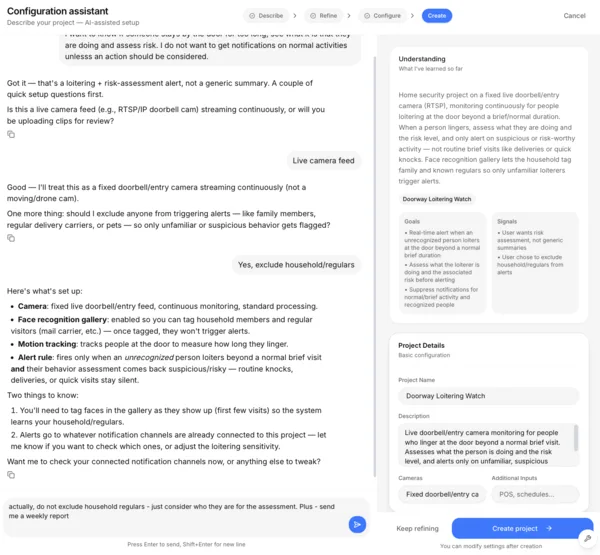
Tell the setup assistant what you want observed, analyzed or monitored — deliveries at the gate, safety on the warehouse floor, what happened overnight — and it configures the project for you in minutes.
Add your policies or let the assistant create one. Refine and update your project in plain language.
-
02
Add your video sources
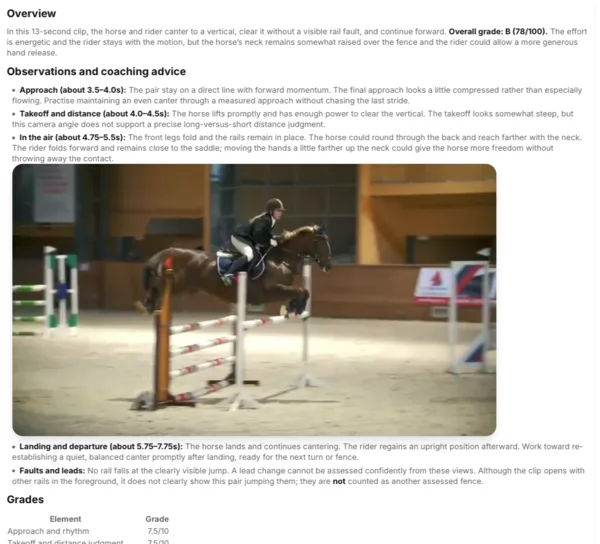
Upload a file, paste a link, connect cloud storage, or add a live camera. The Platform scans it and builds a searchable timeline of what happened. Test your setup by uploading videos or connecting streams.
-
03
Get results and act
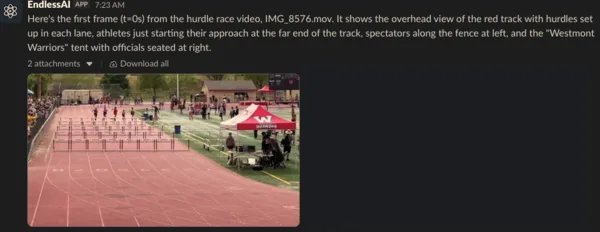
Get reports based on your goals and policies. Configure actions or investigate your footage. Ask follow-up questions, and receive results in your connected chat apps.
- Telegram
- Slack
Your first answer is a few minutes away.
Create an account, describe what you want observed, analyzed or monitored, and add your video sources.